- DATE:
- AUTHOR:
- The Fountain team
The Pool Dashboard for Every Pool Customer
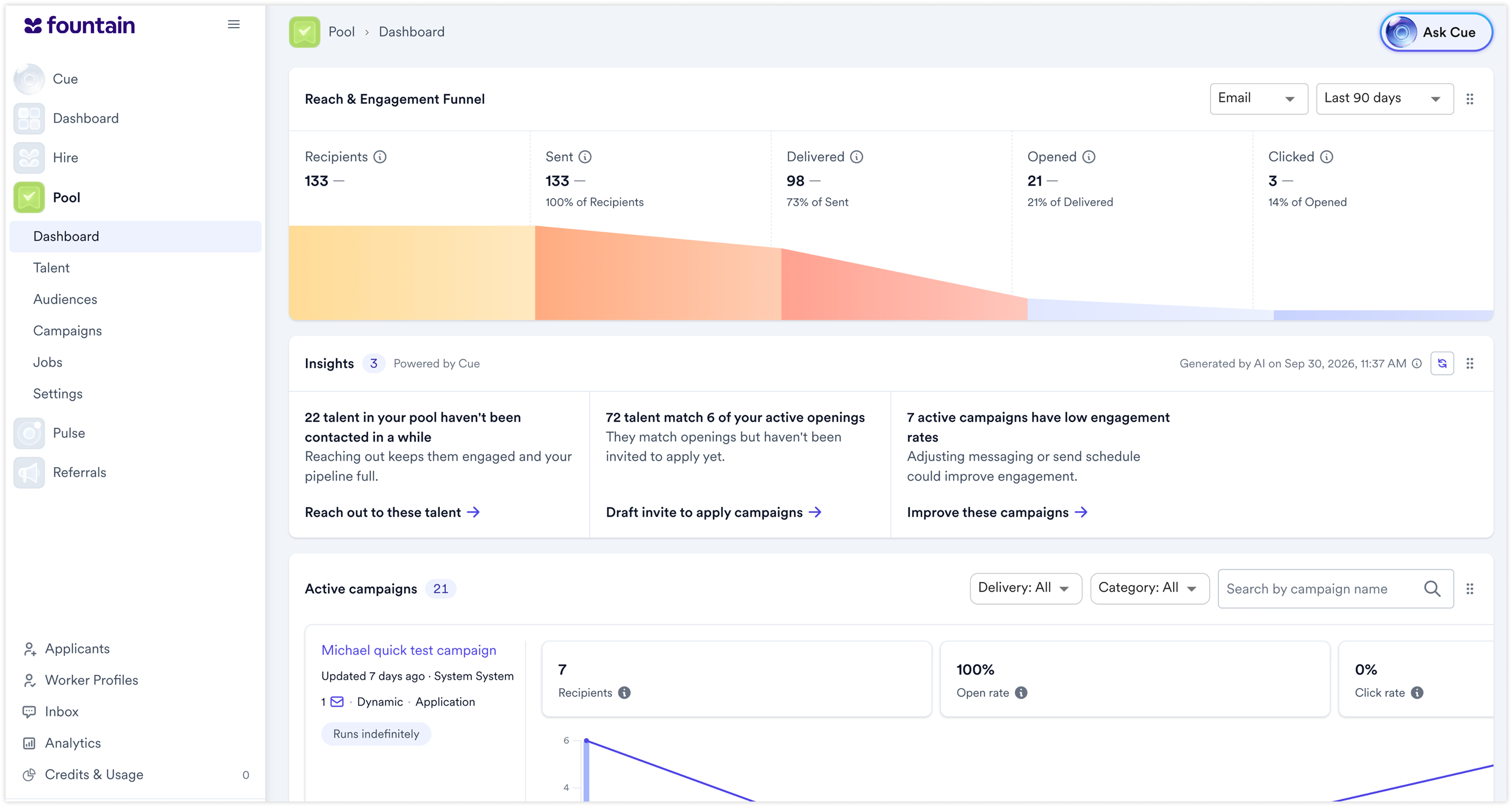
Pool opens on a dashboard that shows how your outreach is performing and what is running right now.
Without a dashboard, understanding the state of your pool meant piecing it together from the Campaigns and Talent pages before you could decide what to do next.
What's new
Reach & Engagement Funnel — for email, see recipients, sent, delivered, opened and clicked; for SMS, recipients, sent and delivered. Each stage shows its conversion from the step before and a comparison with the prior period.
A date range you choose — set the period the funnel reports on.
Active campaigns — every active campaign with its recipients, open rate and click rate over its send dates, filterable by delivery and category and searchable by name.
Mark as complete — end a campaign straight from the dashboard.
Definitions on hover — every metric explains how it is defined, so everyone reads the same number the same way.
Pool's first page — the dashboard is the first thing you see when you open Pool.
Why it matters
The first minute in Pool becomes orientation rather than excavation. The funnel shows whether a slow week is an outreach volume problem or a conversion problem, and those need different fixes.
What to expect
The dashboard is additive: nothing is removed and no existing workflow changes. Customers with no campaigns or talent yet will see empty states, and deeper analysis stays on the Campaigns and Talent pages.
Availability
Available to all Pool customers.